This is a thorough analysis of diabetes dataset from Kaggle. In this article, I will demonstrate how to an end-to-end machine learning project using diverse classification models.
What Can We Do With This Dataset?
The observations in the dataset are all females from Pima Indian heritage who are greater than or equal to 21 years old.
Data Preprocessing
I cannot emphasize the importance of data preprocessing. It is the process of transforming raw data into more reasonable, useful and efficient format. It's a must and one of the most important step in a machine learing project. Without it our models will probably crash and won't be able to generate good results.
There are several steps in data preprocessing: data cleaning, data reduction and data transformation. In the following paragraphs, I'll show you how to perform the steps one by one.
Data Cleaning
Data At A Glance
# packages needed
import numpy as np
import pandas as pd
import seaborn as sns

# load data
data = pd.read_csv('diabetes.csv')
data.head(10)
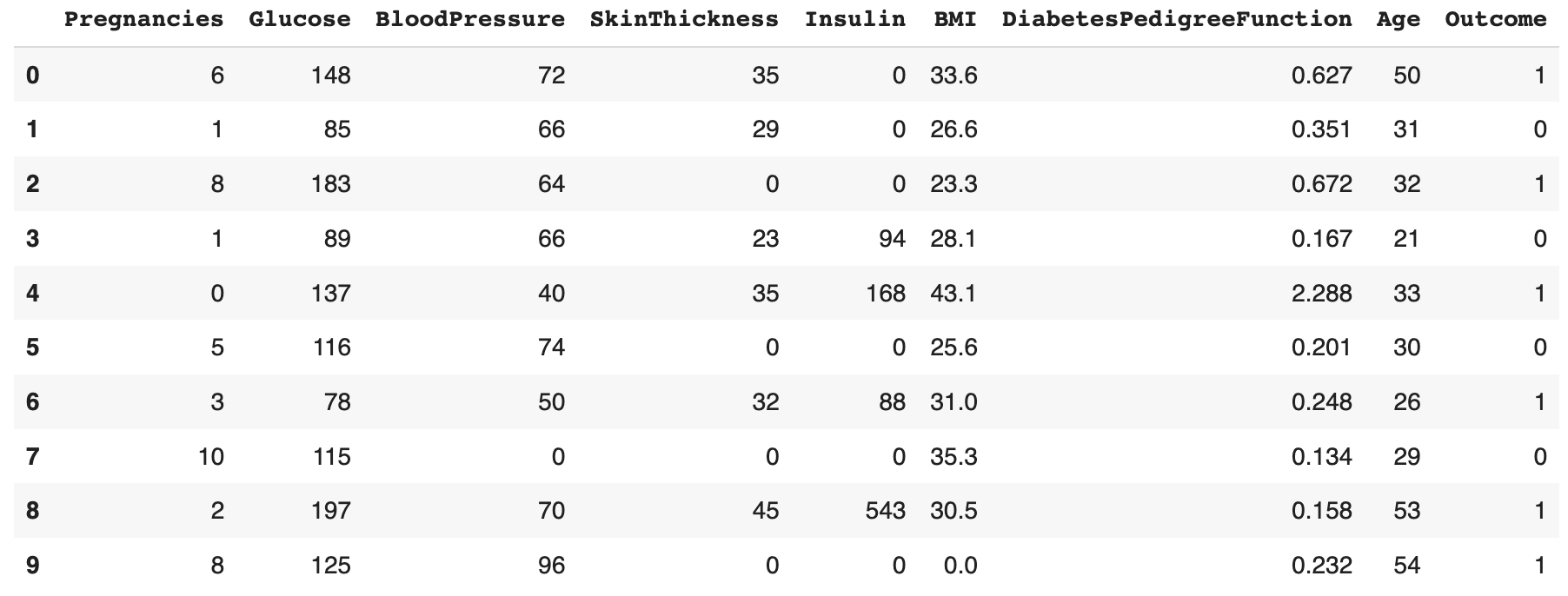
The meaning of each column is stated as below:
- Pregnancies: Number of times pregnant
- Glucose: Plasma glucose concentration a 2 hours in an oral glucose tolerance test
- BloodPressure: Diastolic blood pressure (mm Hg)
- SkinThickness: Triceps skin fold thickness (mm)
- Insulin: 2-Hour serum insulin (mu U/ml)
- BMI: Body mass index (weight in kg/(height in m)^2)
- DiabetesPedigreeFunction: Diabetes pedigree function
- Age: Age (years)
- Outcome: Class variable (0 or 1)
Next, we need to examin whether there are null values in the dataset.
data.isnull().sum()
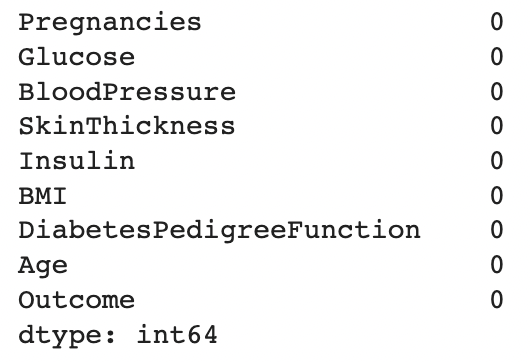
It seems there is no null values. Shall we pop the champagne now? If we further examine the data, we will find that the situation is not as good as we thought.
data.describe()
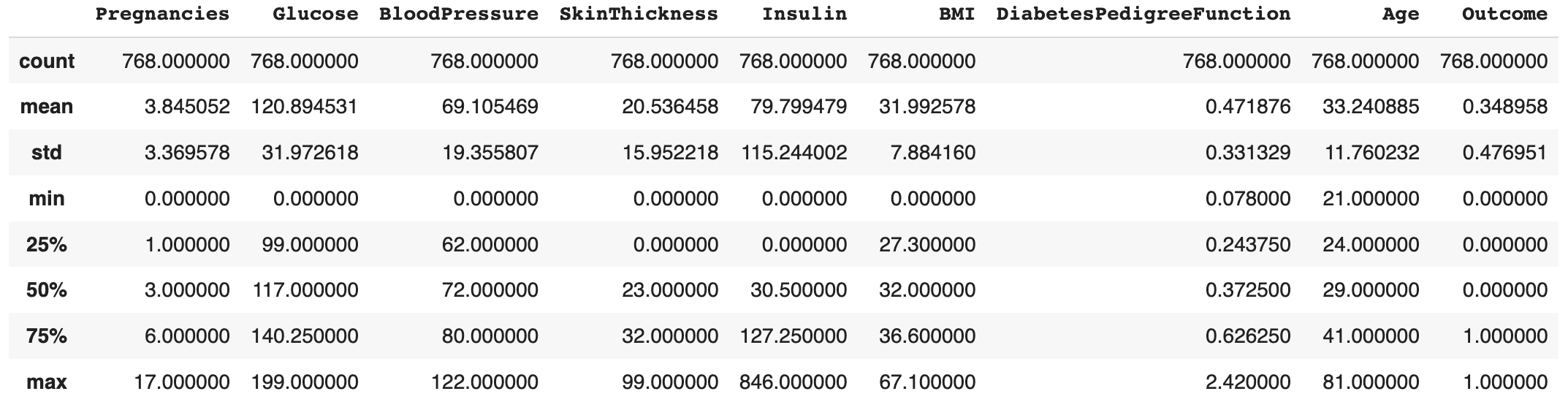
We can see from the picture above that the minimum value of Glucose, BloodPressure, SkinThickness, Insulin, BMI is zero. However, anyone having common sense knows that by no means would these indicators of an alive person be zero. Apparently, the null values are replaced by zeros when inputing data. Here we calculate the number of null values in each column so that we will better decide how to deal with them.
for col in list(data.columns):
    zero = len(data[data[col] == 0])
    print('0s in %s: %d' % (col, zero))